> For the complete documentation index, see [llms.txt](https://tanagement.gitbook.io/guide/llms.txt). Markdown versions of documentation pages are available by appending `.md` to page URLs; this page is available as [Markdown](https://tanagement.gitbook.io/guide/workspace/manager/test/payment.md).

# 리포트 구매

## 리포트 구매

검사 상태에 상관없이 리포트 구매가 가능합니다. 단, 구매한 리포트를 다운로드 받는 것은 구성원이 검사를 완료한 이후에만 가능합니다.&#x20;

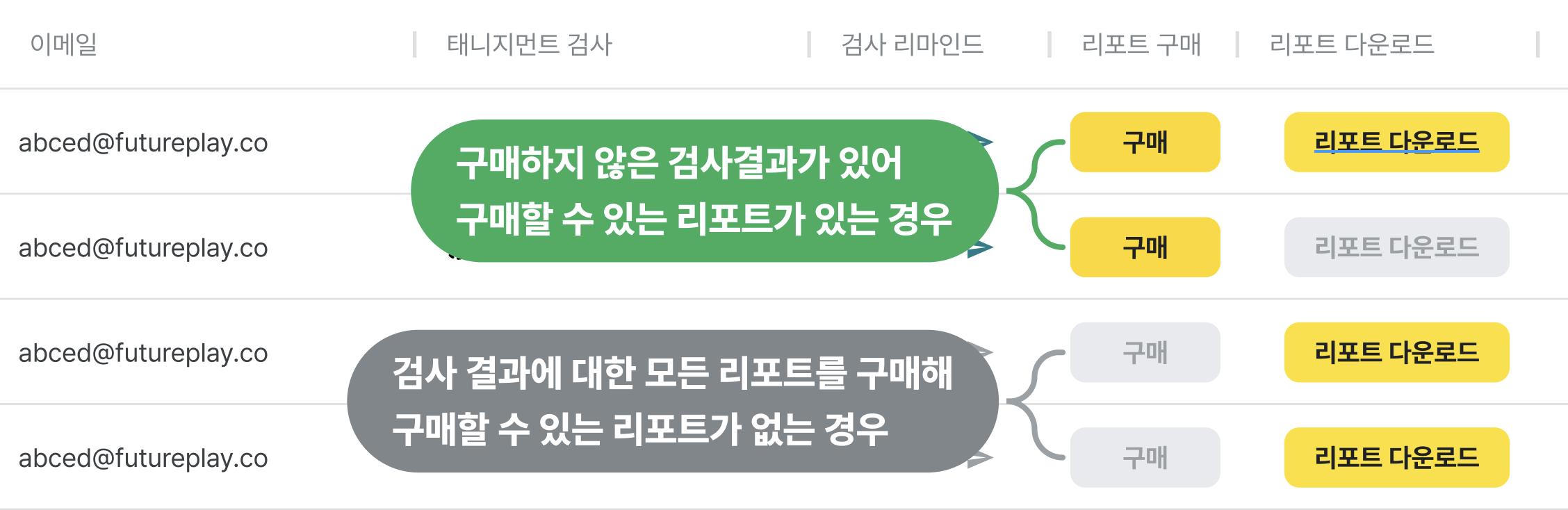
#### 리포트 구매 버튼 상태

* 구매 버튼 활성화 : 리포트를 구매하지 않은 검사결과가 있는 경우
* 구매 버튼은 비활성화 : 검사 결과에 대한 모든 리포트를 구매하여 구매할 수 있는 리포트가 없는 경우

<figure><img src="https://content.gitbook.com/content/lKCsw1IzGD9ZdC0AoXtE/blobs/6qR4DkoOcUJbxy19f4np/image.png" alt=""><figcaption></figcaption></figure>

#### 리포트 구매 방법

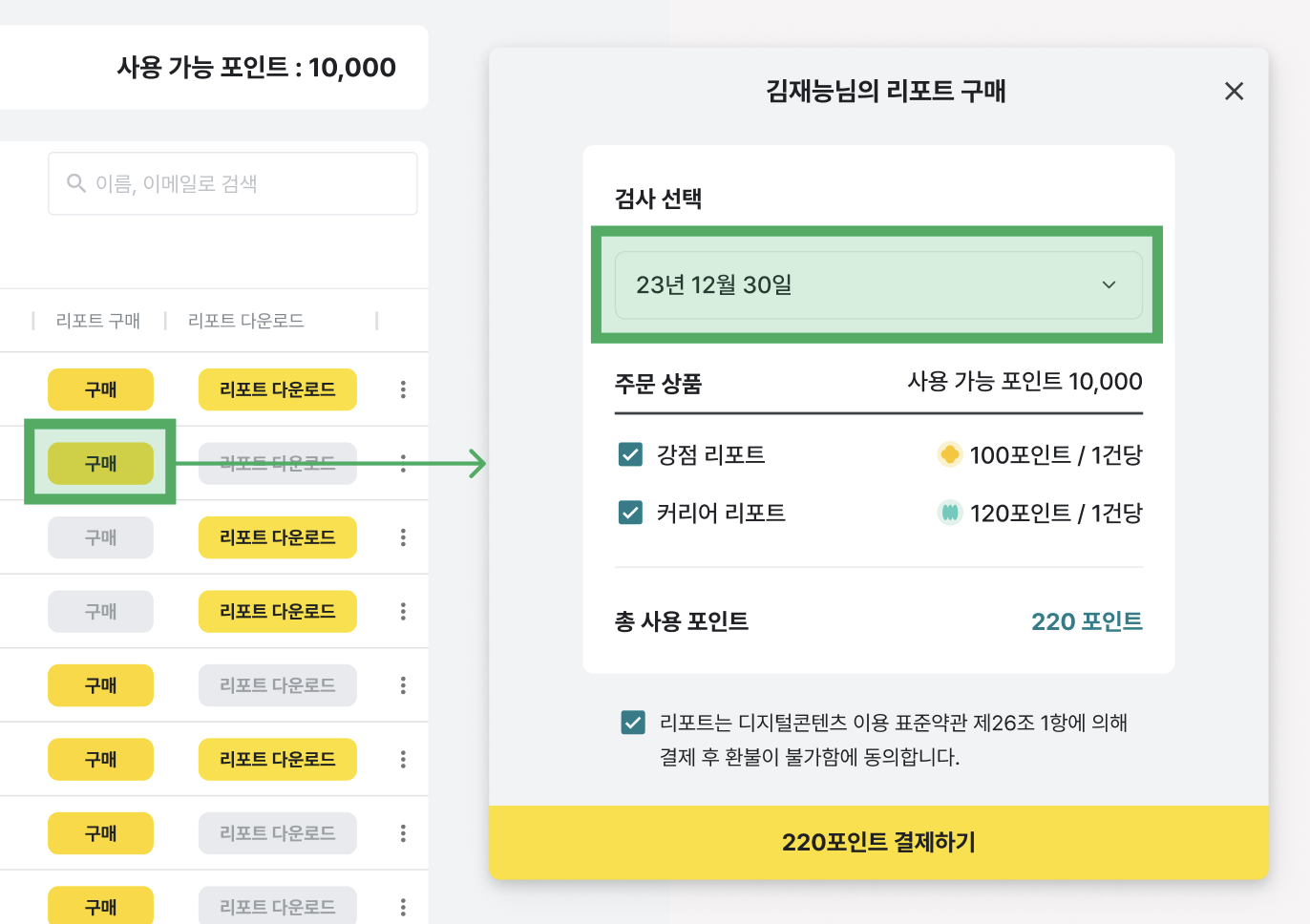
1. 리포트 구매 버튼을 클릭합니다. 리포트 구매 창에서 리포트를 확인하고 싶은 날짜를 선택해주세요.&#x20;

<figure><img src="https://content.gitbook.com/content/lKCsw1IzGD9ZdC0AoXtE/blobs/GLqGV5js8zOoLrtC9UwN/image.png" alt=""><figcaption></figcaption></figure>

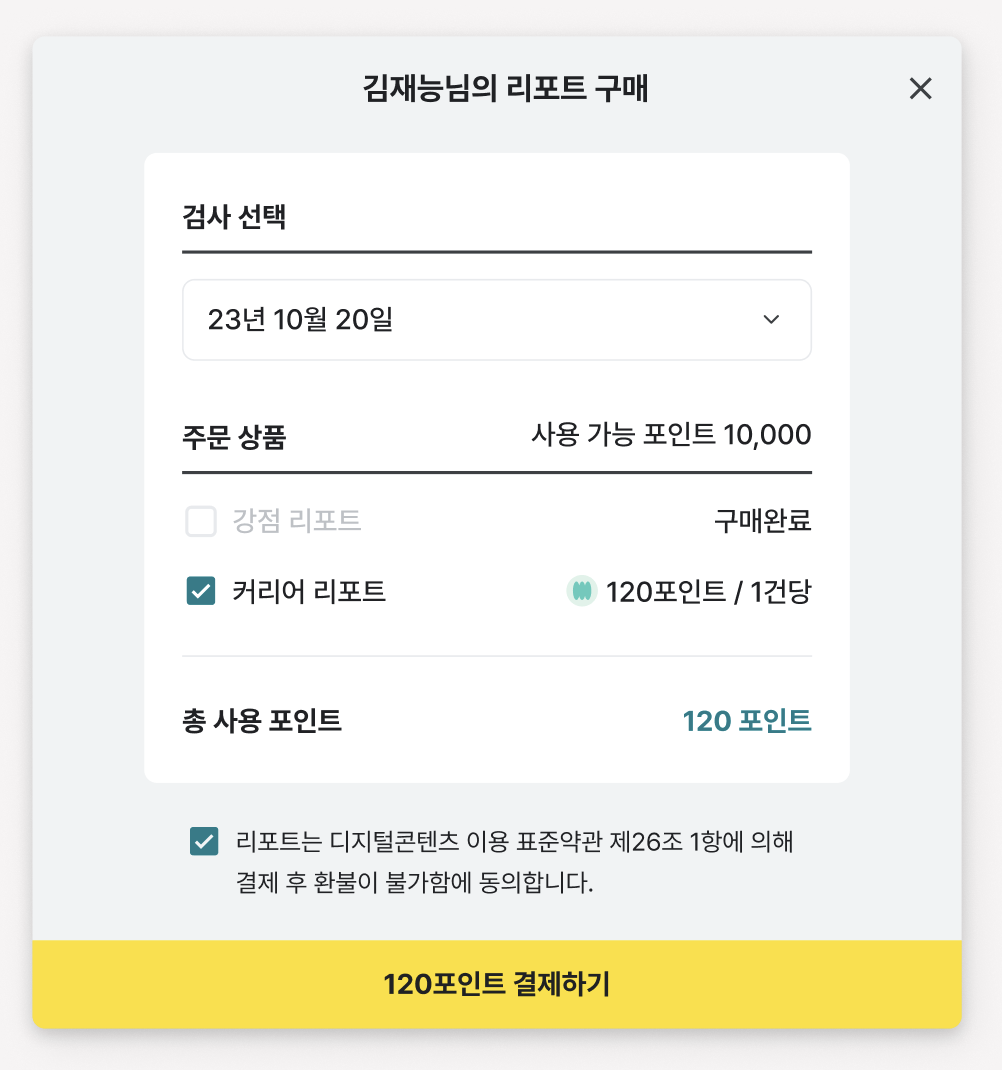
2. 검사 날짜를 선택한 후 리포트 종류를 선택해 주세요. 선택한 검사 날짜에 이미 구매한 리포트가 있을 경우 체크박스가 활성화되지 않습니다.

<figure><img src="https://content.gitbook.com/content/lKCsw1IzGD9ZdC0AoXtE/blobs/A3vbTACTisHs8gQ0363j/image.png" alt="" width="375"><figcaption></figcaption></figure>

3. 환불 정책을 확인한 후 포인트로 결제를 완료합니다.
4. 관리자가 리포트를 구매하면 리포트를 구매한 대상자에게 리포트가 생성되었다는 메일이 발송됩니다. \
   만약 구성원이 아직 검사를 완료하지 않은 상태에서 리포트를 미리 구매했다면, 구성원이 검사를 완료한 후 안내 메일이 발송됩니다.

<figure><img src="https://3682814585-files.gitbook.io/~/files/v0/b/gitbook-x-prod.appspot.com/o/spaces%2FlKCsw1IzGD9ZdC0AoXtE%2Fuploads%2FuOE7hIwQTgjXl4qcZ67x%2Fimage.png?alt=media&amp;token=485ec93e-23a7-442c-80c9-d1e9394e40e8" alt="" width="375"><figcaption></figcaption></figure>

## 구매 취소하기

{% hint style="info" %}
**검사 중, 검사 완료** 상태에서는 **구매 취소가 불가**합니다.
{% endhint %}

리포트는 디지털 콘텐츠이므로 원칙적으로는 환불이 어렵습니다. 단, **구성원이 검사를 시작하기 전인 상태에서는 구매 취소가 가능**합니다.&#x20;

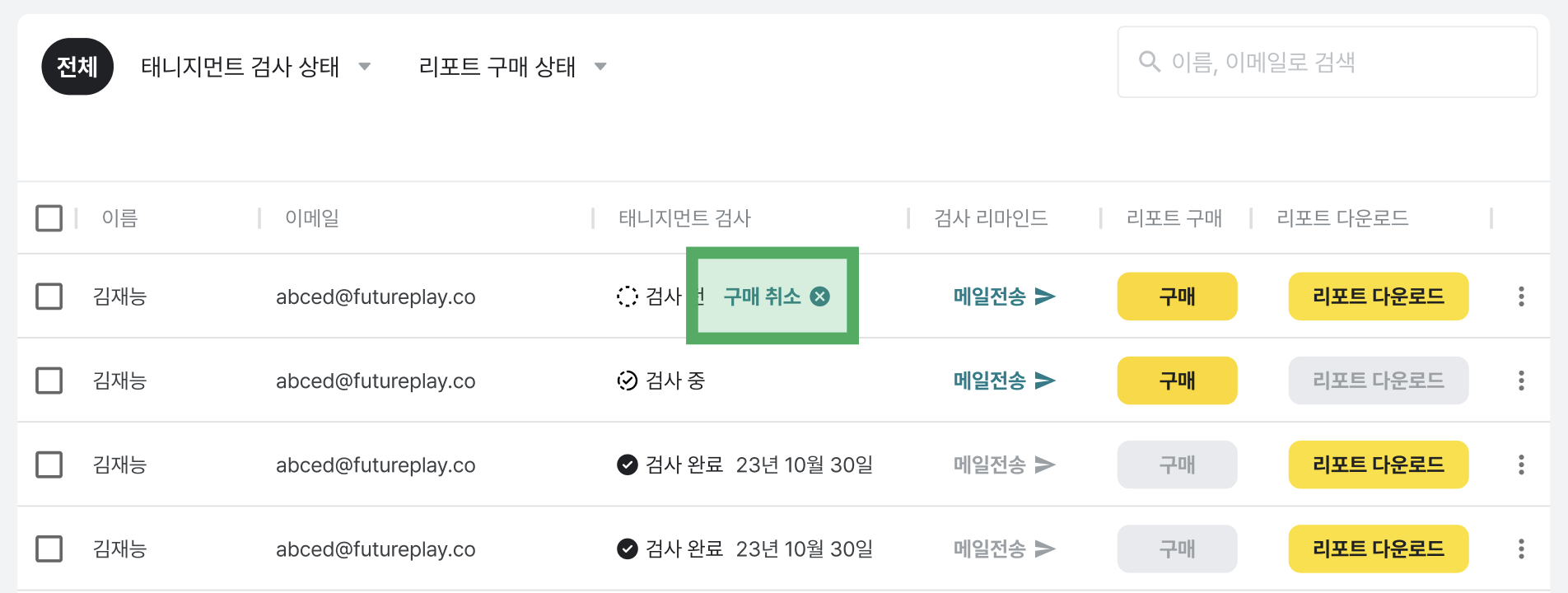
1. 검사 전 상태에서 '구매  취소' 버튼을 클릭합니다.

<figure><img src="https://content.gitbook.com/content/lKCsw1IzGD9ZdC0AoXtE/blobs/nTmtJ4Nnr7xrj2DJGIzt/image.png" alt=""><figcaption></figcaption></figure>

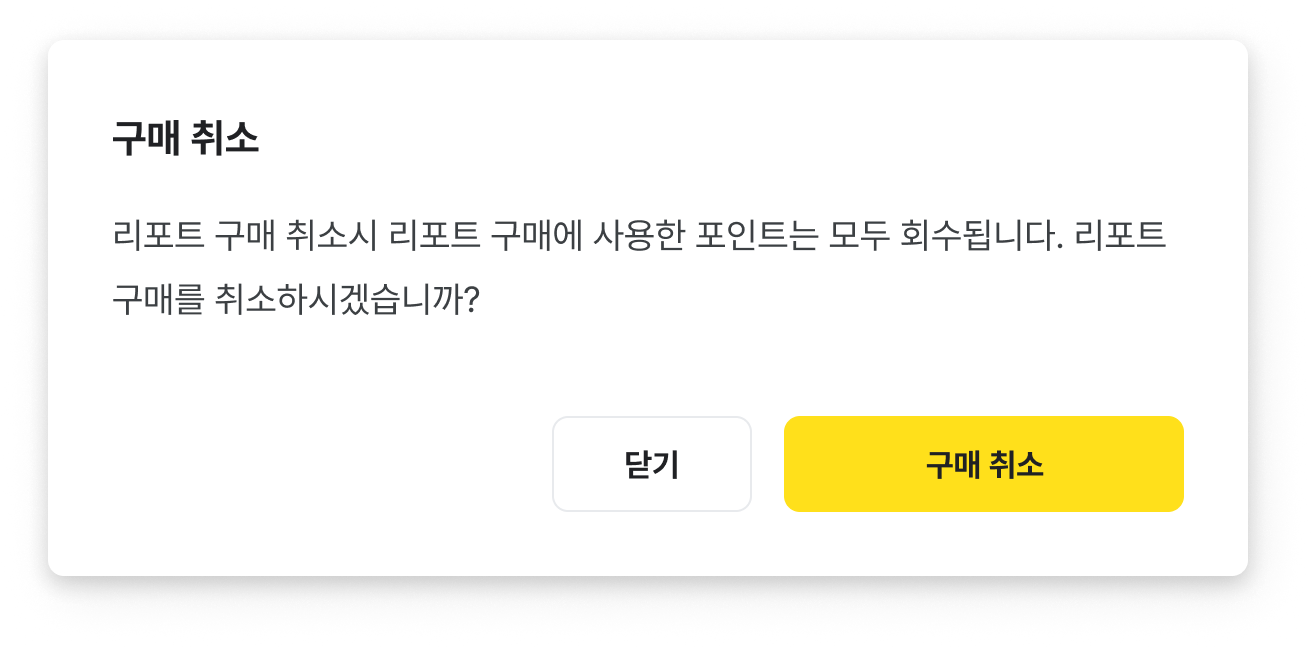
2. 구매 취소 버튼을 클릭하여 구매 취소를 완료합니다. 리포트를 구매 취소하면 사용했던 포인트는 즉시 복구됩니다.
<figure><img src="https://content.gitbook.com/content/lKCsw1IzGD9ZdC0AoXtE/blobs/uYrgVP3RT3FdAdFNbbx9/image.png" alt="" width="563"><figcaption></figcaption></figure>